
Y888 Game Download: Ultimate Android App Guide for 2026
Y888 Game download ? This guide covers the Y888 APK installation process, safety checks, app updates, and common issues. Before downloading, verify the source, developer, and version to avoid unsafe files. Follow responsible installation practices and understand the risks of apps involving gaming or financial transactions.
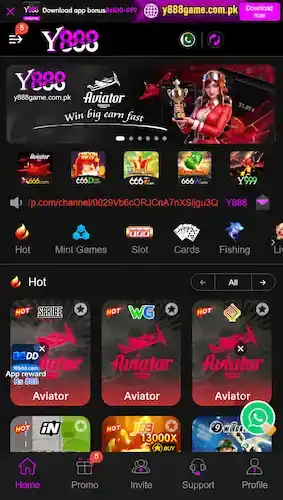
Get the Y888 Game download App for Android in 2026
Android users may encounter Y888 Game download applications distributed through different channels, including app stores and APK-based websites. One current Google Play listing describes Y888 as an entertainment game hub containing several types of casual games, while another listing uses the Y888 Game download name for a separate application. This difference makes source verification particularly important.
If you are looking for the Y888 Game download app 2026, first identify which application you actually intend to install. Check the application name, developer, icon, description, permissions, version information, and download source before proceeding. An APK is an Android application package. Installing an APK manually is different from installing an application through Google Play. Android may therefore display additional security warnings when the file comes from outside the Play Store. A good download routine is simple:
- Identify the intended Y888 Game download application.
- Check the source hosting the file.
- Review the application information.
- Download the current file.
- Scan the downloaded file where possible.
- Install only after reviewing the security warnings.
- Remove installation permissions for unknown sources afterward if they are no longer required.
Avoid assuming that a page advertising itself as “official” is automatically verified. The safest approach is to independently examine the developer and source information.
What to Know Before Installing Y888 Game download
Before starting a Y888 Game download APK, take a few minutes to check your Android phone. This can prevent many installation problems later. First, make sure your device has sufficient storage. An APK may appear small, but the installed application can require additional space for temporary files, updates, cached information, and other resources.
Next, check your Android version. Compatibility requirements can vary between different Y888 applications and versions. Do not rely on an old article that gives a specific Android requirement unless the same information appears with the version you are downloading. Your internet connection is also important. A damaged or incomplete APK download can produce errors such as “App not installed” or “Parse error.” A stable Wi-Fi or mobile-data connection can reduce the possibility of an incomplete file.
Most importantly, identify the source. Current search results show Y888 Game download related websites making different claims about versions, features, and installation methods. Therefore, compare the information displayed on the download page with the information provided by the application’s developer or trusted app-store listing whenever available.
Important Checks Before Getting the App
A few simple checks can make the Y888 download process more secure.
Check the developer
Look at the developer or publisher name rather than relying only on the Y888 logo. Different applications can have similar names but completely different developers.
Examine the download source
Avoid unknown file-sharing pages, suspicious pop-ups, modified APK advertisements, or downloads that require unnecessary software before providing the requested file.
Review permissions
An application should have permissions that make sense for its stated purpose. If a simple gaming application requests access that appears unrelated to its functionality, investigate before continuing.
Check the file
If your device or security software provides an option to scan the APK, use it before installation. A scan cannot guarantee that an application is completely risk-free, but it can help identify known threats.
Be careful with login information
Never give your password, OTP, PIN, or other confidential account information to an individual claiming to provide Y888 download assistance.
How to Install the Y888 Game download Application
The exact installation process depends on how you obtained the application. For a standard Play Store installation, search for the correct application, verify the developer information, review the listing, and select the installation option. For an APK installation, the general Android process is different.
First, download the APK file to your device. Open the Downloads folder and locate the file. Android may ask you to permit the browser or file manager to install applications from that source. If you decide to continue, Android normally provides the relevant permission through its security settings. The wording and location can differ according to your phone manufacturer and Android version.
After permission has been granted, return to the APK and select it to begin installation. Carefully review the application information shown by Android and continue only if you trust the source. Once installation has finished, open the application and check that its name, icon, and general interface correspond with what you expected. For security reasons, consider turning off the “install unknown apps” permission for your browser or file manager after completing the installation.
Steps for a Smooth Y888 Game download Setup
A smooth Y888 Game download app installation is not only about downloading the APK. Your device configuration also matters.
Before installation, close unnecessary applications and ensure you have adequate free storage. If the download repeatedly fails, switch between Wi-Fi and mobile data to determine whether the connection is causing the problem. After installation, restart the application if it does not open correctly. If the application asks for an update, compare the update information with the source from which you originally obtained the app.
Do not install several different Y888 APK files simply because they have similar names. Multiple versions can create confusion and, in some cases, installation conflicts. If you already have an older version installed, check whether the new package is intended as an update for that same application. A different developer or package can indicate that you are dealing with a separate application.
Tips for a Safer App Installation
APK installation requires more attention than downloading an application from a trusted app store.
Here are some practical precautions:
- Download files from a source you can independently verify.
- Avoid modified, cracked, or “unlimited” APK files.
- Do not disable your phone’s security protections unnecessarily.
- Review permissions before installation.
- Keep Android security updates current.
- Never share OTPs or passwords with download agents.
- Avoid applications that redirect repeatedly through suspicious pages.
- Scan downloaded files where security software supports APK scanning.
- Remove unknown-source installation permission after use.
- Delete old APK files that you no longer need.
These measures are particularly useful because APK files can be distributed independently of the normal app-store review process.
Why Use Y8888game.com.pk for App Information?
If you are using Y888 Game download as an information resource, use it primarily to review the available Y888 related guidance and compare the information with other sources. However, users should distinguish between an informational website and an application publisher. A website discussing an application does not automatically establish ownership, development, or official authorization.
Before following any Y888 download link, check whether the page clearly identifies the application, developer, version, file type, and installation requirements. It is also useful to compare information from multiple sources rather than relying on one promotional page. Current search results demonstrate that Y888-related websites can publish significantly different claims about application versions, features, and distribution methods.
This makes independent verification especially important when downloading an APK.
Fixing Common Y888 Game download Installation Problems
Even a legitimate APK can sometimes fail to install. The problem may be caused by the device, download, storage, compatibility, or an existing application.
App not installed
Check whether sufficient storage is available. If space is adequate, remove the incomplete APK and download a fresh copy.
Parse error
A parse error can occur when an APK is incomplete, corrupted, incompatible, or incorrectly packaged. Re-downloading the file from a reliable source is a sensible first step.
Download stops before completion
Check your internet connection and available storage. Switching networks may help determine whether the problem is connection-related.
Application closes immediately
Restart the phone and try opening the application again. If the problem continues, check whether your Android version is compatible with the application.
Installation conflicts
An older or different version of the same application may interfere with installation. Before removing an existing application, make sure you understand whether its data or account information is stored locally or online.
Do not download random “fixer” applications simply because a website recommends them. They can introduce additional security risks.
How to Keep the Y888 Game download App Updated
Keeping applications updated can provide compatibility improvements, bug fixes, security improvements, and new functionality. However, updating an APK requires the same source verification as the original download. Before installing a new version, check:
- Version number
- Release information
- Developer identity
- File source
- Required Android version
- Permissions
- File size
- Update date
Do not assume that the newest-looking APK is necessarily legitimate. If you installed Y888 Game download through Google Play, use the Play Store’s normal update mechanism when an update is available. If you installed an APK manually, obtain future versions from a source you can verify. It is also sensible to retain important account information securely before making major application changes.
Protecting Your Account and Device
Application security and account security are closely connected. Use a strong, unique password whenever the application requires an account. Do not reuse an important password from your email, banking, or social-media accounts. Never disclose verification codes to another person. Legitimate support should not require you to send private authentication codes through an unofficial chat.
Be cautious of messages claiming that you have won a prize, received a bonus, or need to pay a fee to unlock an account. Such messages can be used in phishing attempts. For applications involving payments or paid participation, verify every transaction carefully before confirming it. Do not treat promotional claims as guaranteed income. The public Google Play listing for one Y888 application specifically describes its content as entertainment and says that its virtual points have no cash value. This is another reason users should identify the exact Y888 application rather than assuming that all Y888 Game download branded services operate in the same way.
Where to Get Help With Y888 Game download
If you experience a problem with the Y888 Game download application, start with the support information provided by the application’s actual developer or publisher. When contacting support, explain the issue clearly. Include the application version, Android version, device model, and a short description of the error when appropriate.
Do not send your password, OTP, banking PIN, recovery code, or other confidential credentials to support representatives. If the problem involves a financial transaction, keep the relevant transaction reference and confirmation details. Do not publish private account information on public websites or social media. For download problems, the most useful information is usually the exact error message rather than simply saying that the application “doesn’t work.”
Important User Guidelines
The Y888 Game download name appears across multiple online applications and websites, so users should verify the specific product before installation.
Remember these basic guidelines:
Verify first: Check the developer and source.
Download carefully: Avoid unknown or modified files.
Install responsibly: Review Android security warnings.
Protect credentials: Keep passwords and OTPs private.
Check updates: Use a reliable source for future versions.
Understand risk: If an application includes paid gaming or financial transactions, money can be lost.
Follow local requirements: Users are responsible for understanding the laws and regulations applicable to them.
Y888 Game download Platform Information
Information about Y888 Game download can change as applications are updated, renamed, discontinued, or distributed through different channels. For that reason, information such as APK size, version number, supported devices, game catalog, developer details, and available features should always be checked against the current source.
For example, publicly available Y888 Game download listings show different developers and different descriptions. One Google Play listing describes a casual entertainment hub, while other websites describe Y888 as a real-money gaming service. Consequently, users should not combine information from unrelated Y888 applications and assume it describes one unified platform.
Final Thoughts on the Y888 Game download App
Finding and installing a Y888 Game download application is relatively straightforward when you first identify the correct product and verify its source. The most important part of the process is not simply locating an APK but understanding what you are downloading. Check the developer, review the application’s information, use a trustworthy source, examine permissions, and keep your device protected. If an APK is distributed outside an established app store, remember that sideloading introduces additional security considerations.
Most importantly, do not rely on claims of guaranteed earnings, guaranteed winnings, or risk-free returns. If an application involves real-money activity, approach it as a financial risk rather than a dependable source of income. A careful Y888 Game download begins with verification and ends with responsible installation.
Frequently Asked Questions About Y888 Game download
Is Y888 available for Android?
Y888-branded Android applications are available through different distribution channels, but the exact application depends on the developer and source. Verify the listing before installation.
What is a Y888 APK?
An APK is an Android Application Package. It is a file format used to install Android applications manually, particularly when an application is not being installed through Google Play.
Is Y888 free to download?
Downloading an APK itself may be free, but that does not mean every feature or activity within a Y888-branded application is free. Review the application’s terms and information before use.
Why can’t I find the exact Y888 app on Google Play?
There are multiple applications using the Y888 name, and availability can change. Some Y888-related services distribute APK files independently rather than through Google Play. Current search results show both Play Store listings and APK-based distribution pages.
Is it safe to install an APK?
Installing an APK from an unknown source carries additional security risk compared with obtaining an application through a trusted app store. Verify the source, scan the file where possible, review permissions, and avoid modified APKs.
What should I do if Y888 APK does not install?
Check your storage, Android compatibility, download integrity, and installation permissions. If the APK appears corrupted, delete it and obtain a fresh copy from a verified source.
Can I install an older Y888 version?
Technically, some Android devices may allow older versions, but older applications can have compatibility or security limitations. A current version from a verified source is generally preferable when available.
Should I share my OTP with Y888 support?
No. Verification codes and passwords should remain private. Never provide authentication codes to another person claiming to help with your account.
Does Y888 guarantee earnings?
You should not treat any gaming application as a guaranteed source of income. Results and financial outcomes can vary, and real-money gaming can involve losses.
What should I check before downloading Y888?
Check the developer, source, application name, version information, permissions, Android compatibility, and security status. These checks can help you avoid downloading the wrong or modified application.
Is Y888 the same as Y888 Game?
Not necessarily. The Y888 name is used by multiple applications and websites. Always compare the developer and application details before assuming two products are the same.
Why is source verification important?
A similar name or logo does not prove that an APK is authentic. Source verification helps reduce the possibility of downloading an altered, outdated, or malicious application.
Can I remove the APK after installation?
Yes. Once the application has been installed successfully, the original APK file is generally no longer required unless you intentionally want to retain it for another installation.